
Fingercheck Time Clock2.33 - App Store
You'll be able to see results in few seconds.
Publisher Description


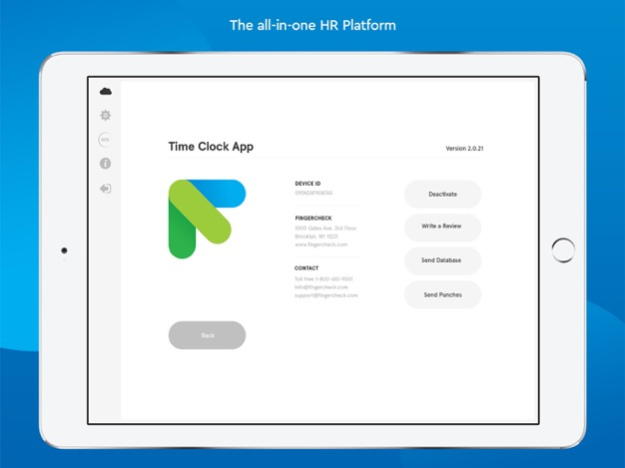
Turn your iPhone or iPad into a time clock
The Fingercheck Employee Time Clock app turns your iPad or iPhone into an instant time clock, providing a cost-effective solution for time tracking. Our app works exclusively with your Fingercheck subscription.
Features for Employers:
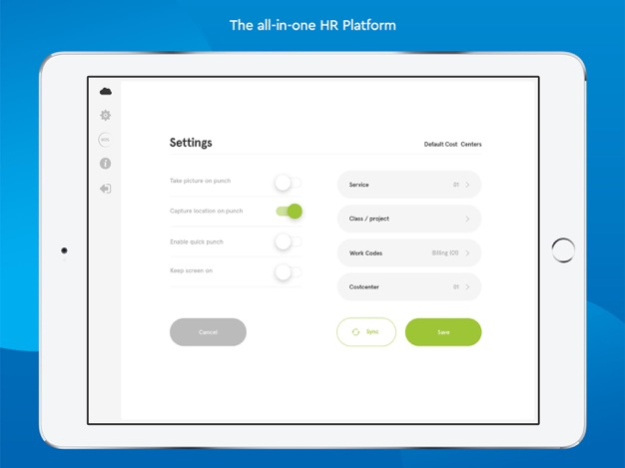
. Take a photo on punch
. Capture location on punch
. Syncs to Fingercheck Mobile
. Enables a quick punch for your employee to punch without selecting a job, task, or department
. Geofencing
. Keep the screen on so the tablet stays awake
. Require to select a job
. Information fields for individual employees and job duties
. Trust the device time when there’s no internet access
Features for Employees:
. Photo verification
. Facial detection
. No internet is required for punches
. SMS text punch in and out
. Unique time clock number
. Curated information fields (job, tasks, department, etc.)
. Notifications
Fingercheck Time Clock is ideal for businesses whose employees work from one or more fixed locations. Our customers include:
. Restaurants, bars, and cafes
. Retailers
. Medical Centers and Practices
. Franchise groups
. Childcare centers
. Manufacturing, distribution, and logistics businesses
. Real estate and property management companies
. Construction
About Fingercheck: We automate employee management tasks - like payroll, scheduling, time tracking, benefits, taxes, and hiring - so small business owners can focus on everything else.
Version History Bug fixes and improvements! 2.33 Sep 30 Bug fixes and improvements! 2.31 Feb 3 Bug fixes and improvements! 2.29 Jan 8 Bug fixes and improvements! 2.20 04/01/2025 Bug fixes and improvements! 2.19 02/20/2025 Bug fixes and improvements! 2.18 08/22/2024 Bug fixes and improvements! 2.17 02/07/2024 Bug fixes and improvements! 2.15 11/29/2023 App improvements! 2.14 10/18/2023 Bug fixes and improvements 2.13 09/20/2023 New feature in settings to require Job and Task on Punch 2.12 05/11/2023 Updating the layout for newer devices 2.11 12/16/2021 Resizing UI for different screen sizes 2.10 03/04/2020 Bug fixes during login and during punch 2.8 12/12/2019 bugfixes 2.7 10/25/2019 Bugfix 2.6 08/27/2019 Bugfix and performance improvements 2.5 07/24/2019 Bugfixes 2.3 03/11/2019 General updates, bug fixes and improved app loading speed 2.2 12/19/2018 Bugfix for punch inaccuracies 2.1 09/10/2018 - Complete redesign!
- New easy to use icons
- More user friendly navigation
- Performance improvements
- Bug fixes 2.0 08/20/2018 Punches uploading more frequently
Offline login
Bug fixes 1.10 10/16/2017 Restrict punches based on schedule 1.9 06/07/2017 bugfixes 1.8 03/26/2017 Displays time cards 1.7 03/19/2017
About Fingercheck Time Clock
The company that develops Fingercheck Time Clock is FingerCheck LLC. The latest version released by its developer is 2.33.
To install Fingercheck Time Clock on your iOS device, just click the green Continue To App button above to start the installation process. The app is listed on our website since 2026-10-14 and was downloaded 0 times. We have already checked if the download link is safe, however for your own protection we recommend that you scan the downloaded app with your antivirus. Your antivirus may detect the Fingercheck Time Clock as malware if the download link is broken.
How to install Fingercheck Time Clock on your iOS device:
- Click on the Continue To App button on our website. This will redirect you to the App Store.
- Once the Fingercheck Time Clock is shown in the iTunes listing of your iOS device, you can start its download and installation. Tap on the GET button to the right of the app to start downloading it.
- If you are not logged-in the iOS appstore app, you'll be prompted for your your Apple ID and/or password.
- After Fingercheck Time Clock is downloaded, you'll see an INSTALL button to the right. Tap on it to start the actual installation of the iOS app.
- Once installation is finished you can tap on the OPEN button to start it. Its icon will also be added to your device home screen.
Program Details
System requirements
Download information
Pricing
Version History
version 2.33
posted on 2026-10-14
Version History Bug fixes and improvements! 2.33 Sep 30 Bug fixes and improvements! 2.31 Feb 3 Bug fixes and improvements! 2.29 Jan 8 Bug fixes and improvements! 2.20 04/01/2025 Bug fixes and improvements! 2.19 02/20/2025 Bug fixes and improvements! 2.18 08/22/2024 Bug fixes and improvements! 2.17 02/07/2024 Bug fixes and improvements! 2.15 11/29/2023 App improvements! 2.14 10/18/2023 Bug fixes and improvements 2.13 09/20/2023 New feature in settings to require Job and Task on Punch 2.12 05/11/2023 Updating the layout for newer devices 2.11 12/16/2021 Resizing UI for different screen sizes 2.10 03/04/2020 Bug fixes during login and during punch 2.8 12/12/2019 bugfixes 2.7 10/25/2019 Bugfix 2.6 08/27/2019 Bugfix and performance improvements 2.5 07/24/2019 Bugfixes 2.3 03/11/2019 General updates, bug fixes and improved app loading speed 2.2 12/19/2018 Bugfix for punch inaccuracies 2.1 09/10/2018 - Complete redesign!
- New easy to use icons
- More user friendly navigation
- Performance improvements
- Bug fixes 2.0 08/20/2018 Punches uploading more frequently
Offline login
Bug fixes 1.10 10/16/2017 Restrict punches based on schedule 1.9 06/07/2017 bugfixes 1.8 03/26/2017 Displays time cards 1.7 03/19/2017
version 2.33
posted on 2026-10-06
Version History Bug fixes and improvements! 2.33 5d ago Bug fixes and improvements! 2.31 Feb 3 Bug fixes and improvements! 2.29 Jan 8 Bug fixes and improvements! 2.20 04/01/2025 Bug fixes and improvements! 2.19 02/20/2025 Bug fixes and improvements! 2.18 08/22/2024 Bug fixes and improvements! 2.17 02/07/2024 Bug fixes and improvements! 2.15 11/29/2023 App improvements! 2.14 10/18/2023 Bug fixes and improvements 2.13 09/20/2023 New feature in settings to require Job and Task on Punch 2.12 05/11/2023 Updating the layout for newer devices 2.11 12/16/2021 Resizing UI for different screen sizes 2.10 03/04/2020 Bug fixes during login and during punch 2.8 12/12/2019 bugfixes 2.7 10/25/2019 Bugfix 2.6 08/27/2019 Bugfix and performance improvements 2.5 07/24/2019 Bugfixes 2.3 03/11/2019 General updates, bug fixes and improved app loading speed 2.2 12/19/2018 Bugfix for punch inaccuracies 2.1 09/10/2018 - Complete redesign!
- New easy to use icons
- More user friendly navigation
- Performance improvements
- Bug fixes 2.0 08/20/2018 Punches uploading more frequently
Offline login
Bug fixes 1.10 10/16/2017 Restrict punches based on schedule 1.9 06/07/2017 bugfixes 1.8 03/26/2017 Displays time cards 1.7 03/19/2017
version 2.33
posted on 2026-10-03
Version History Bug fixes and improvements! 2.33 1d ago Bug fixes and improvements! 2.31 Feb 3 Bug fixes and improvements! 2.29 Jan 8 Bug fixes and improvements! 2.20 04/01/2025 Bug fixes and improvements! 2.19 02/20/2025 Bug fixes and improvements! 2.18 08/22/2024 Bug fixes and improvements! 2.17 02/07/2024 Bug fixes and improvements! 2.15 11/29/2023 App improvements! 2.14 10/18/2023 Bug fixes and improvements 2.13 09/20/2023 New feature in settings to require Job and Task on Punch 2.12 05/11/2023 Updating the layout for newer devices 2.11 12/16/2021 Resizing UI for different screen sizes 2.10 03/04/2020 Bug fixes during login and during punch 2.8 12/12/2019 bugfixes 2.7 10/25/2019 Bugfix 2.6 08/27/2019 Bugfix and performance improvements 2.5 07/24/2019 Bugfixes 2.3 03/11/2019 General updates, bug fixes and improved app loading speed 2.2 12/19/2018 Bugfix for punch inaccuracies 2.1 09/10/2018 - Complete redesign!
- New easy to use icons
- More user friendly navigation
- Performance improvements
- Bug fixes 2.0 08/20/2018 Punches uploading more frequently
Offline login
Bug fixes 1.10 10/16/2017 Restrict punches based on schedule 1.9 06/07/2017 bugfixes 1.8 03/26/2017 Displays time cards 1.7 03/19/2017
version 2.31
posted on 2026-09-26
Version History Bug fixes and improvements! 2.31 Feb 3 Bug fixes and improvements! 2.29 Jan 8 Bug fixes and improvements! 2.20 04/01/2025 Bug fixes and improvements! 2.19 02/20/2025 Bug fixes and improvements! 2.18 08/22/2024 Bug fixes and improvements! 2.17 02/07/2024 Bug fixes and improvements! 2.15 11/29/2023 App improvements! 2.14 10/18/2023 Bug fixes and improvements 2.13 09/20/2023 New feature in settings to require Job and Task on Punch 2.12 05/11/2023 Updating the layout for newer devices 2.11 12/16/2021 Resizing UI for different screen sizes 2.10 03/04/2020 Bug fixes during login and during punch 2.8 12/12/2019 bugfixes 2.7 10/25/2019 Bugfix 2.6 08/27/2019 Bugfix and performance improvements 2.5 07/24/2019 Bugfixes 2.3 03/11/2019 General updates, bug fixes and improved app loading speed 2.2 12/19/2018 Bugfix for punch inaccuracies 2.1 09/10/2018 - Complete redesign!
- New easy to use icons
- More user friendly navigation
- Performance improvements
- Bug fixes 2.0 08/20/2018 Punches uploading more frequently
Offline login
Bug fixes 1.10 10/16/2017 Restrict punches based on schedule 1.9 06/07/2017 bugfixes 1.8 03/26/2017 Displays time cards 1.7 03/19/2017 Bug fixes 1.6 07/06/2016
version 2.31
posted on 2026-02-03
Bug fixes and improvements!
version 2.20
posted on 2025-04-01
Apr 1, 2025
Version 2.20
Bug fixes and improvements!
version 2.13
posted on 2023-09-20
Sep 20, 2023
Version 2.13
Bug fixes and improvements
version 2.12
posted on 2023-05-11
May 11, 2023
Version 2.12
New feature in settings to require Job and Task on Punch
version 2.11
posted on 2021-12-16
Dec 16, 2021
Version 2.11
Updating the layout for newer devices
version 2.10
posted on 2020-03-04
Mar 4, 2020 Version 2.10
Resizing UI for different screen sizes
Disclaimer
Official App Store Link
We do not host Fingercheck Time Clock on our servers. We did not scan it for viruses, adware, spyware or other type of malware. This app is hosted by Apple and passed their terms and conditions to be listed there. We recommend caution when installing it.
The App Store link for Fingercheck Time Clock is provided to you by apps112.com without any warranties, representations or guarantees of any kind, so access it at your own risk.
If you have questions regarding this particular app contact the publisher directly. For questions about the functionalities of apps112.com contact us.
